
Restore an Archived Category
Edited
If you've accidentally archived a category or simply want to bring it back to start using it again, follow these steps:
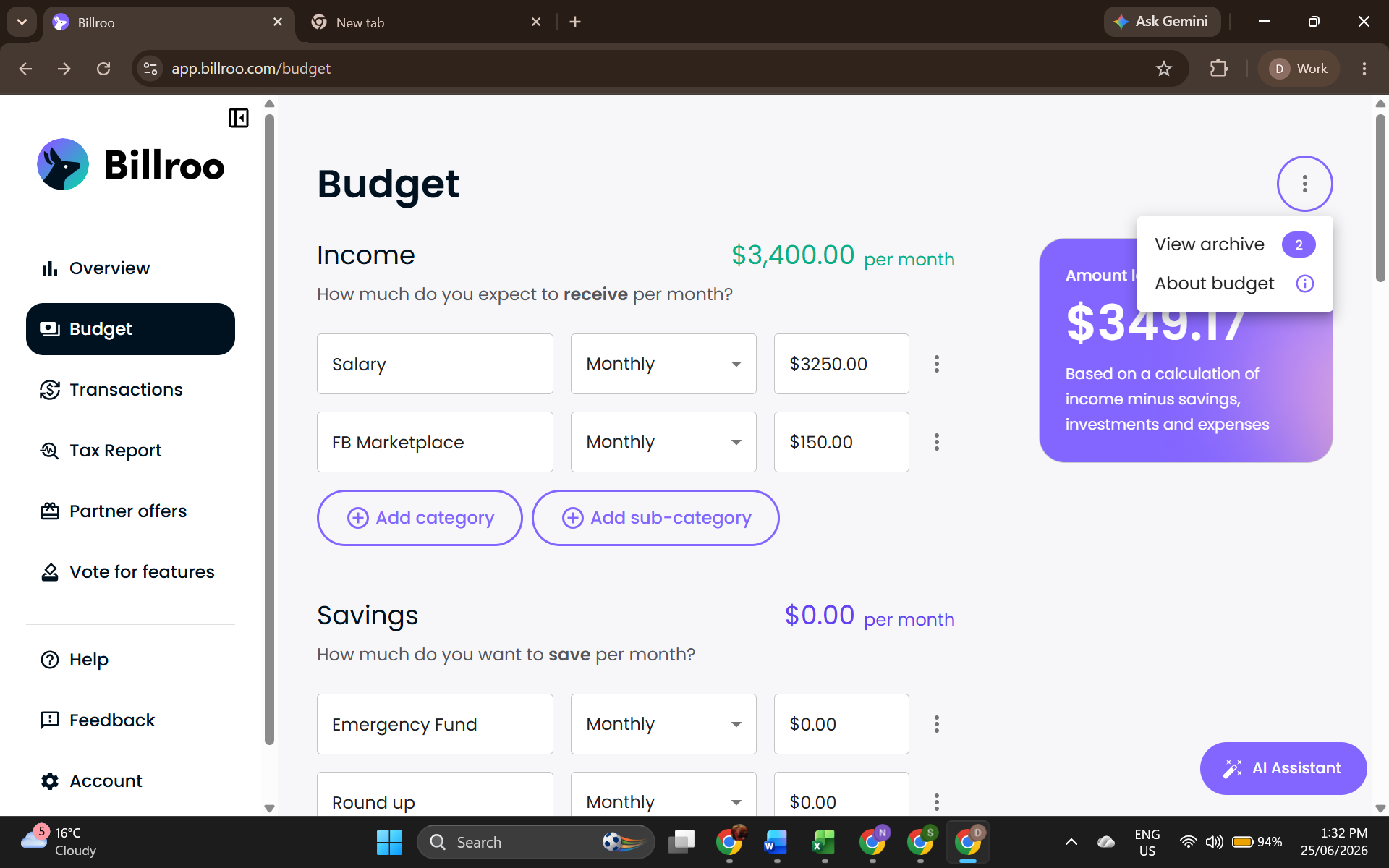
Click on the three dots located at the top right corner of the Budget screen.
Select "View Archive" from the dropdown menu. This will display a list of all your archived categories.
Find the category you'd like to restore and click "Restore" next to it. This will bring the category back to your budget.
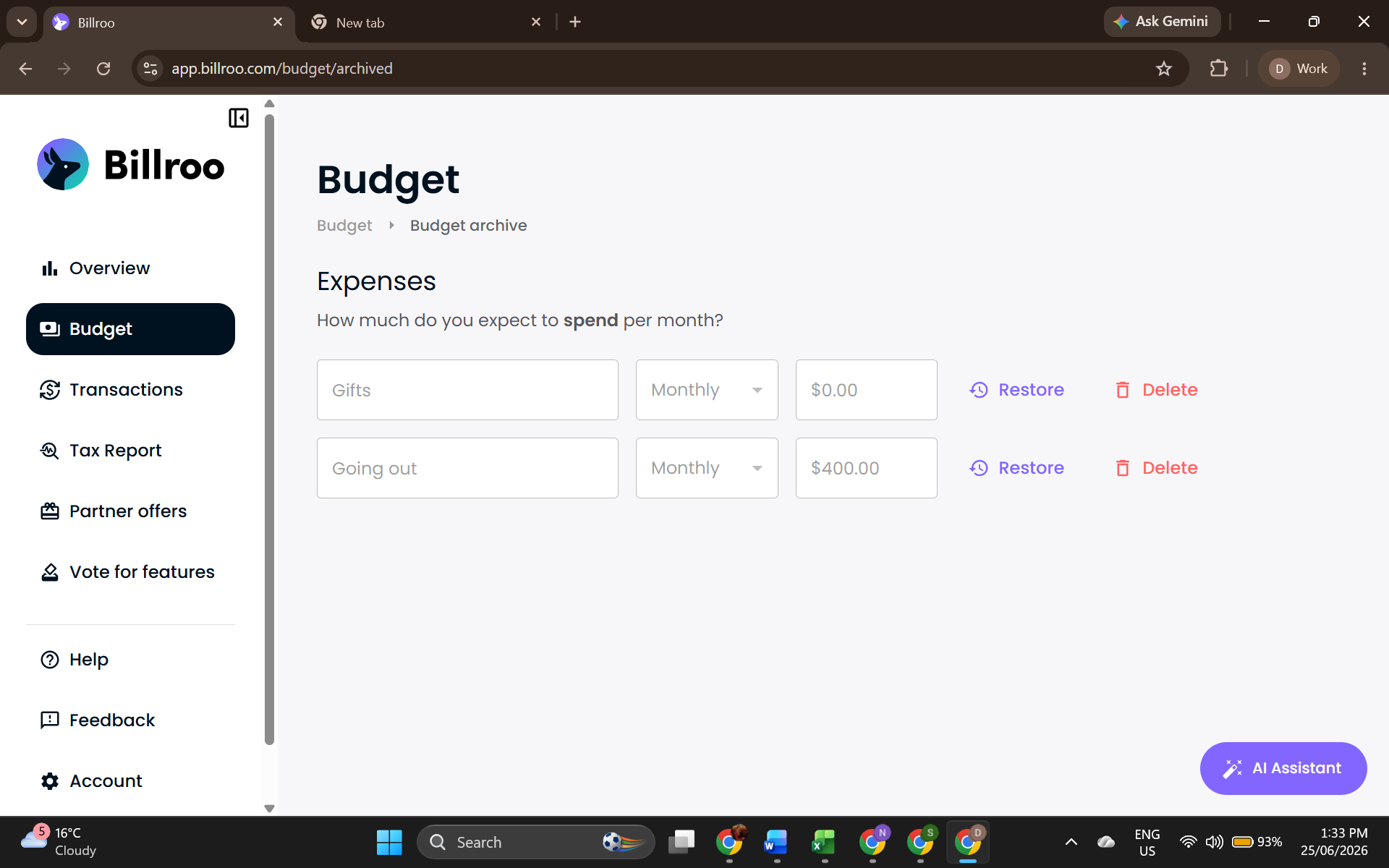
And that's it! Your archived category is now restored and ready for use in your budget. If you have any questions or need further assistance, feel free to reach out to our support team via support@billroo.com
Was this article helpful?
Sorry about that! Care to tell us more?