
Customizing Account Names
You can assign nicknames to your bank accounts in Billroo, making it easier to manage multiple accounts. This allows you to quickly identify each account at a glance.
How to Rename a Bank Account
You can edit account names on the Manage Bank Accounts section of your Billroo account, on either the mobile app or on the website.
On the Mobile App:
Click on the icon located at the top left-hand side of the screen to open your Profile/Settings.
Scroll down and select "Manage Bank Accounts."
To change the name of a specific account, click on the small edit button located to the right of the account you wish to rename.
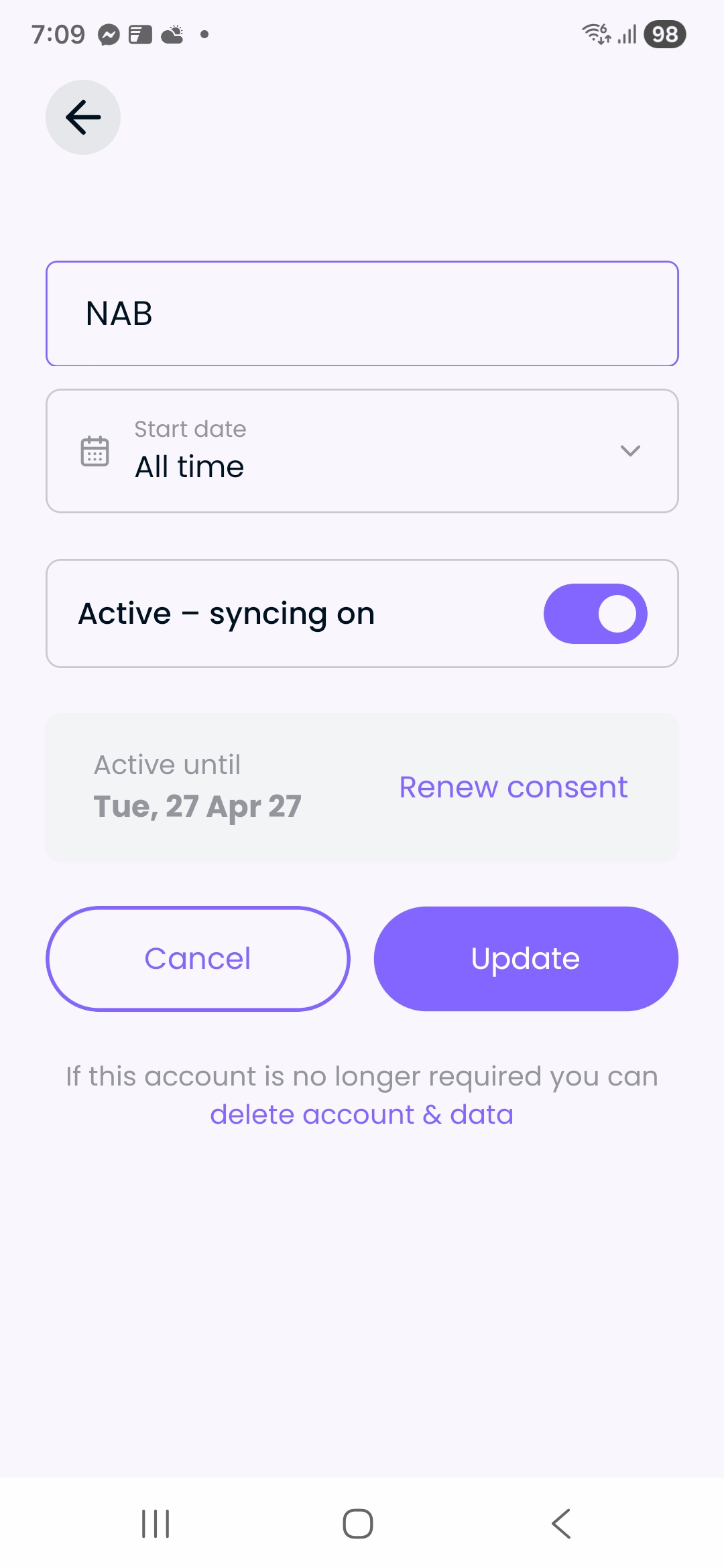
This will take you to the below screen, where you can simply click on the name of the account and type in what you would like it to be called.
On the Website:
Navigate to your Transactions screen.
Click on the three dots located in the top-right corner of the screen.
Select "Manage Bank Account" from the dropdown menu.
To change the name of a specific account, click on the small edit button located to the right of the account you wish to rename.
A pop-up window will appear, allowing you to enter a new nickname for the account.
Need More Help?
If you have any questions or require further assistance, please reach out to our support team via your Billroo account Feedback page, or by emailing support@billroo.com. We are here to help you make the most of your Billroo experience!