
Managing Your Savings
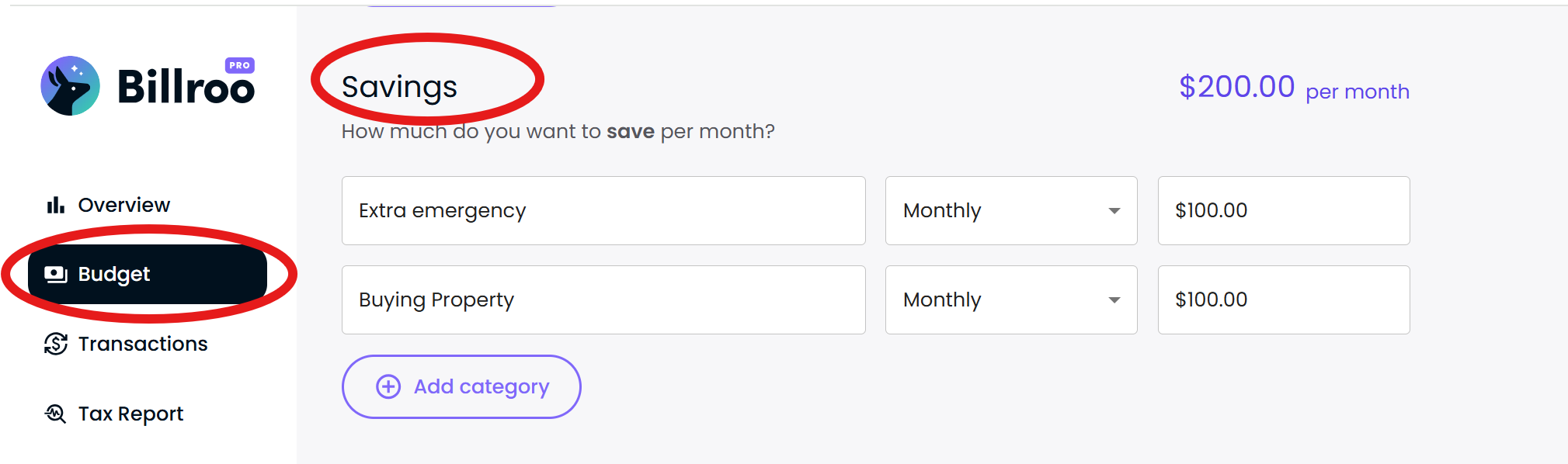
In the Budget tab, you’ll see a Savings section. This is where you can set your savings goals.
💸 Recording Money You Save
When you transfer money into a savings account, Billroo will usually automatically categorise the transaction as Transfer.
To have the transaction counted as savings, change the category to Savings.


Billroo's auto-categorisation should remember this change and automatically categorise similar transactions as Savings in the future.
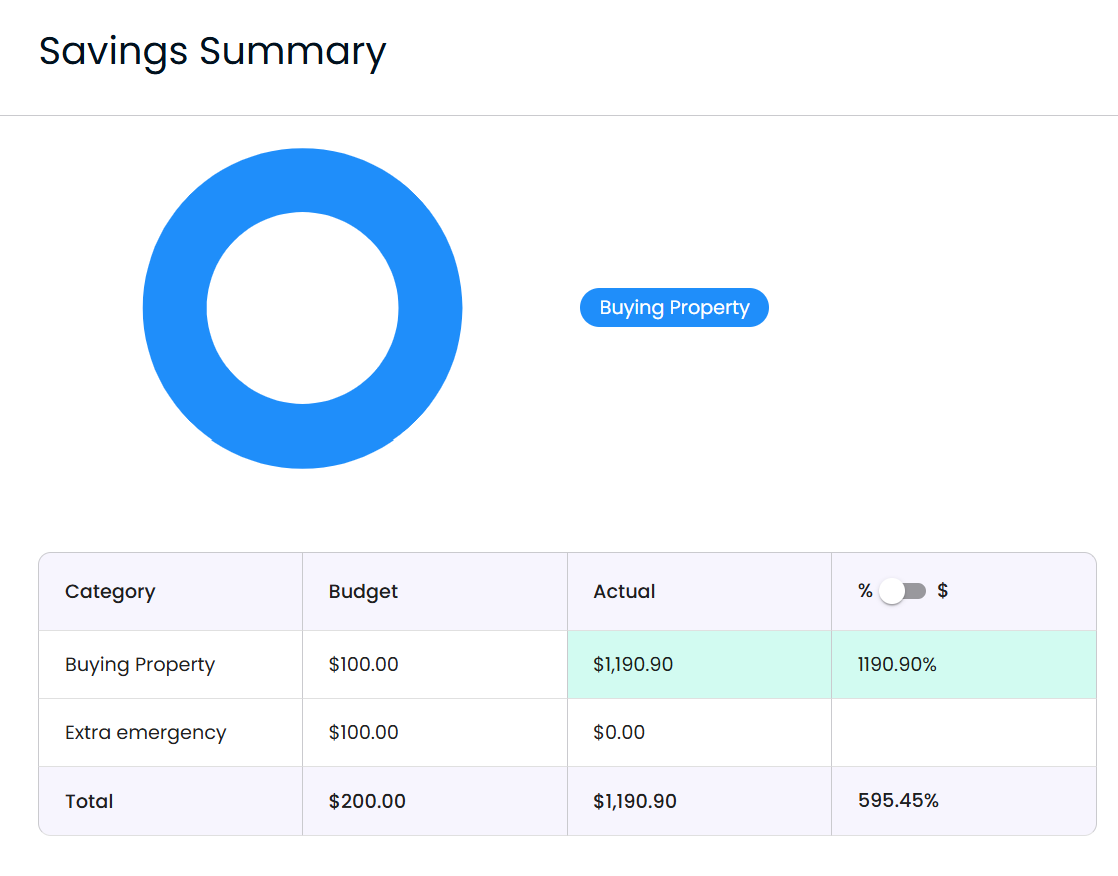
Transactions categorised as Savings are not treated as income or spending. Instead, they appear in your Savings Summary in your Overview.
🎨Understanding Colours
Savings transactions don’t appear as red or green like income (green) or spending (red).
Once a transaction is labelled as “Savings,” it gets tracked separately in the Savings Summary section, not in your regular budget categories.
➖ Negative vs Positive Values
The Savings category is designed to represent money moving out of your everyday account and into savings.
Adding to your savings
When recording money you've saved, the transaction should be a negative value.
For example:
-$100 categorised as Savings = You saved $100.
If the transaction is showing as a positive value, simply add a minus (-) sign before the amount.
🔄 If Both Your Everyday and Savings Accounts Are Synced
If you've connected both your everyday account and your savings account to Billroo, every transfer between them will appear twice:
once leaving one account
once arriving in the other
To avoid double-counting, categorise them as follows.
Moving money INTO your savings account
Everyday account (negative transaction)
Categorise as Savings.
This records that you've saved money.
Savings account (positive transaction)
Categorise as Transfer.
This prevents the incoming transaction from affecting your budget and cancelling out the other transaction. (e.g. -$100 and $100 = $0).
Need More Help?
If you have any questions or need further assistance, feel free to reach out to our support team via your Billroo account Feedback page, or by emailing support@billroo.com. We're here to help you make the most of your Billroo experience!